

Something is about to change this Sunday that affects every UK business with a website. Not in a vague, ‘you might want to think about this at some point’ kind of way. In a ‘your certificate will now expire twice as fast as it used to’ kind of way.
On 15 March 2026 – this Sunday – the maximum validity period for SSL and TLS certificates will drop from 398 days to 200 days. If you renew your own certificates, your renewal cycle is about to double. And if you’re still doing it manually? Things are about to get considerably more interesting.
Here’s everything you need to know – what is changing, why it’s happening, what it means for your business, and what to do about it.
What Is Actually Changing on 15 March 2026
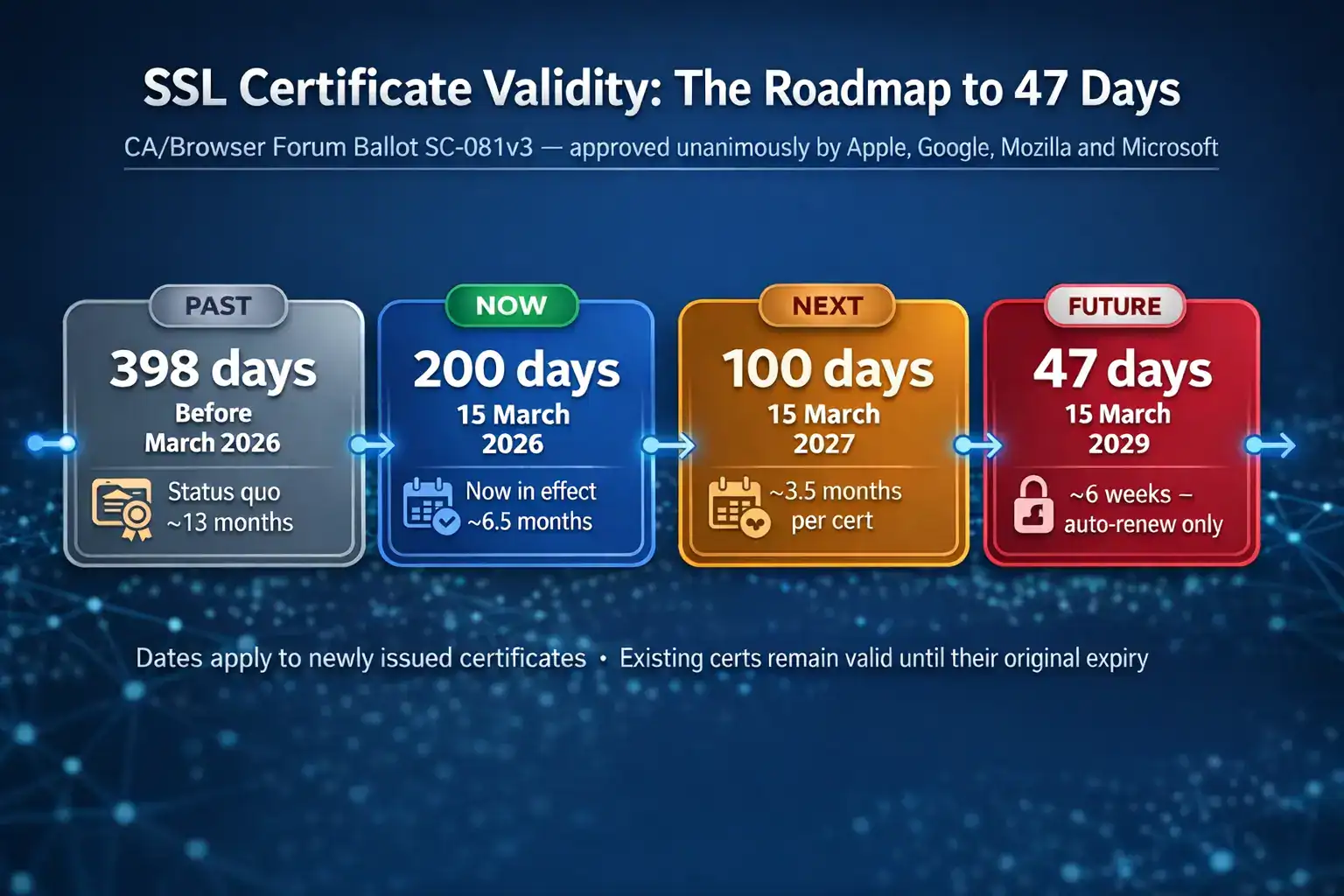
The CA/Browser Forum – the industry body that sets the rules for how SSL certificates work, made up of certificate authorities and browser vendors – voted unanimously to shorten the maximum lifespan of public SSL and TLS certificates.
Previously, a certificate could be valid for up to 398 days (just over 13 months). From 15 March 2026, anything newly issued will be capped at 200 days, roughly six and a half months. Certificates issued before that date keep their original validity until they expire naturally. But the moment they need renewing, the new rules apply.
It’s also worth noting that DigiCert has already moved early. They began enforcing a 199-day cap on 24 February 2026, ahead of the industry deadline. So if you have recently renewed a certificate through DigiCert, you’re already operating under the new rules.
And 200 days is not the destination. The CA/Browser Forum has already published the full roadmap:
- 15 March 2026: Maximum validity drops to 200 days
- 15 March 2027: Drops again to 100 days
- 15 March 2029: Final reduction to 47 days (under seven weeks)
This is a deliberate, staged transition designed to give businesses time to adapt. The destination is a world where certificates rotate so frequently that automation isn’t just helpful – it’s the only way to keep up.
Why Did This Happen? The Logic Behind Shorter Certificates
If you’re wondering who decided this was a good idea, the answer is Apple, Google, Mozilla, and Microsoft. The vote in the CA/Browser Forum was unanimous. That’s not the kind of consensus you see often, which tells you something about how settled the reasoning is.
The core argument is straightforward. Every SSL certificate contains a private key, the cryptographic secret that makes your encrypted connection work. If that key is ever compromised, the damage window is exactly as long as the certificate remains valid.
With a 398-day certificate, a stolen private key could be actively exploited for over 13 months before the certificate naturally expired. Reduce that to 200 days, and the window halves. At 47 days, an attacker has less than seven weeks before the certificate rolls over and the compromised key becomes worthless.
| The quantum computing factor: There’s a longer-term reason too. Quantum computers, when they arrive at sufficient scale, will be capable of breaking the encryption algorithms used in today’s certificates. By keeping certificate lifetimes short, the industry ensures that when algorithm upgrades are needed – and they will be – the transition can happen quickly. The NCSC has published a post-quantum cryptography roadmap targeting full migration by 2035. Short-lived certificates make that kind of industry-wide change manageable. |
There’s also a practical benefit to shorter validity periods that doesn’t get mentioned enough: they force businesses to stay on top of certificate hygiene. An organisation that has automated certificate renewal for 200-day certs is also an organisation that knows exactly what certificates it has, where they are installed, and whether they’re current. That visibility is genuinely valuable from a security standpoint.
Who Needs to Pay Attention
Coverage of this change has focused heavily on the risk and the disruption. But the honest picture is more nuanced than that. Whether this change is a significant operational headache or business as usual depends almost entirely on how you currently manage your certificates.
You need to act if…
- You buy SSL certificates and install them on your own servers or hosting
- You manage certificates across multiple domains, subdomains, or services
- Your renewal process involves manually downloading a certificate file, connecting to a server, and installing it
- You’re running OV (Organisation Validated) or EV (Extended Validation) certificates, which also now require more frequent re-verification of business credentials
- You’re a developer or IT professional responsible for certificate management across a client portfolio
| A note on OV and EV certificates specifically: The 15 March 2026 change will also reduce the Subject Identity Information (SII) reuse period i.e. the window during which your verified business details can be reused without re-checking. This period will drop from 825 days to 398 days. It means OV and EV certificate renewals will involve re-verifying your company details more frequently, which adds administrative steps that cannot be fully automated. |
The Real Risk: Expired Certificates
All of this matters because the consequence of missing a renewal isn’t theoretical. It’s immediate, visible, and damaging.
When an SSL certificate expires, browsers display a full-page warning to every visitor before they can reach your site. The message varies slightly by browser, but the effect is the same: “Your connection is not private.” For most visitors, that is the end of the visit. They close the tab and don’t come back.
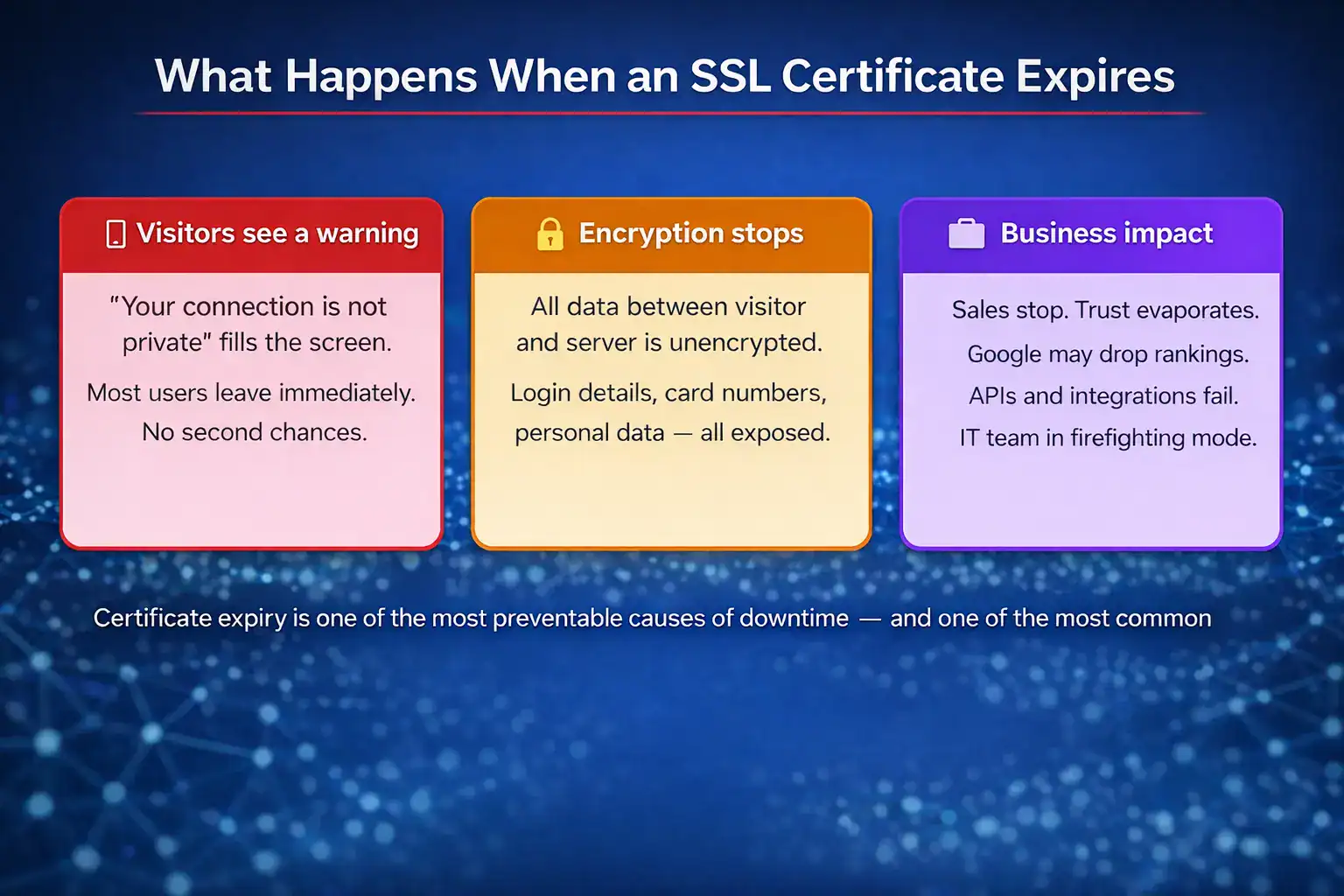
Beyond the immediate visitor impact, an expired certificate means your connection is no longer encrypted. Any data your users submit – login credentials, payment details, personal information – travels unprotected.
And it happens more than you might think. Keyfactor’s research found that 88% of organisations have experienced an unplanned outage due to an expired certificate in the past two years. The average incident takes over five hours to diagnose and resolve. During that time, your site is either down or showing security warnings to every visitor.
Microsoft Teams went down for three hours in 2020 because someone forgot to renew an authentication certificate. LinkedIn let a certificate expire twice in two years. Epic Games suffered a five-and-a-half-hour outage from a single expired wildcard certificate. In December 2018, O2’s entire UK data network went offline – 32 million customers without mobile data – because of an expired certificate in Ericsson’s network software.
These are not small companies with under-resourced IT teams. They are some of the most technically sophisticated organisations in the world. The point is not that certificate management is easy and they were careless. It’s that certificate management is genuinely hard, and the room for error just got smaller.
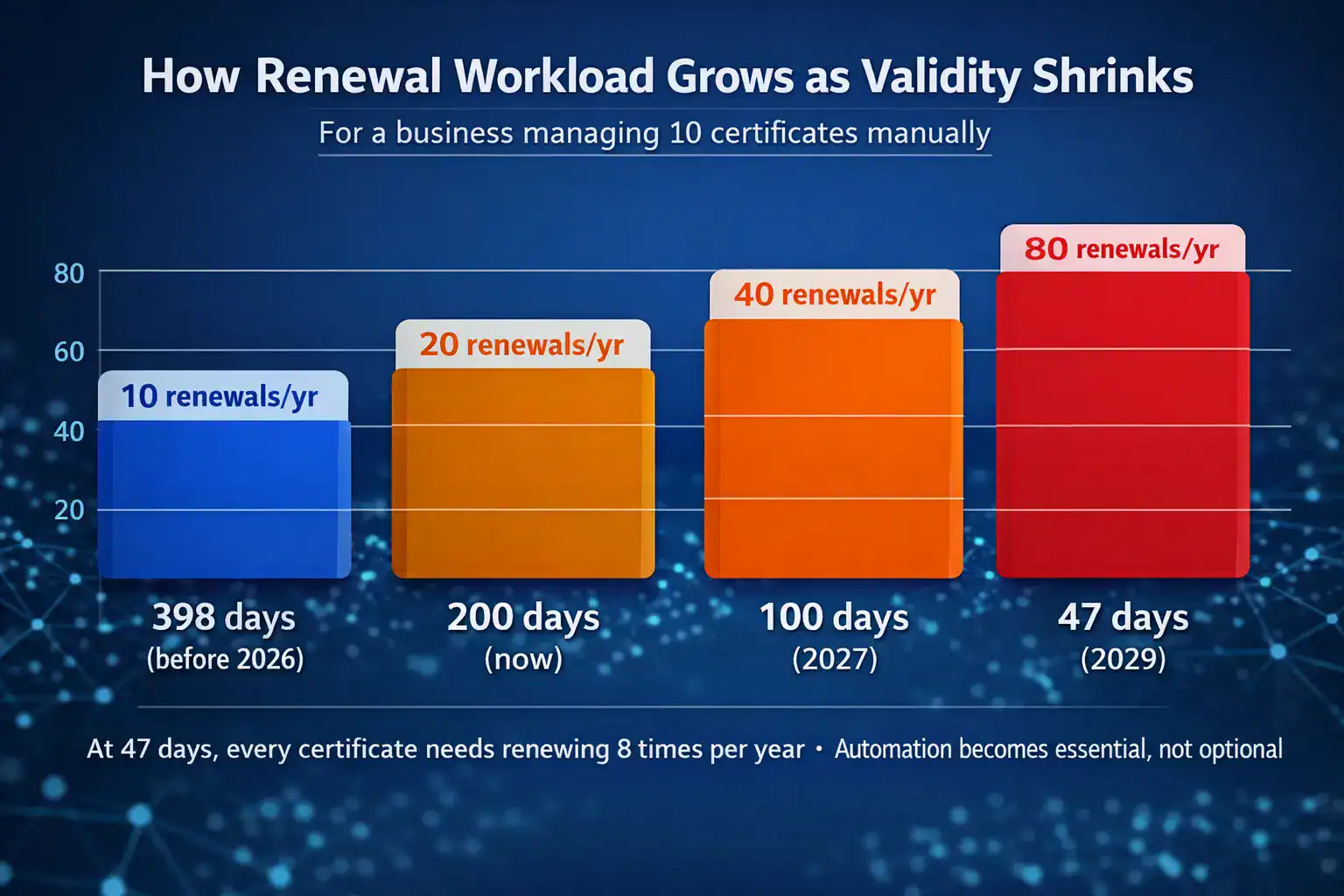
With renewals due every 200 days instead of every year from Sunday, the opportunity to let something slip through the cracks doubles. At 47 days in 2029, with eight renewals per certificate per year, a manual process isn’t just inconvenient – it’s a liability.
What You Should Do Right Now
The deadline is this Sunday, so there are still a few days to get ahead of it. Here’s a practical approach depending on where you’re starting from.
If you manage a small number of certificates manually
Start by taking stock. List every domain and subdomain you have certificates for, along with their current expiry dates. With a 200-day validity, you should be renewing roughly 60–90 days before expiry to give yourself a comfortable buffer.
Update your calendar reminders. If you previously set a reminder once a year, that reminder now needs to fire twice a year. And once you hit the 2027 reduction to 100 days, four times a year. Build in enough lead time that a busy period or a supplier delay doesn’t leave you scrambling.
Consider whether the manual process is still viable for your situation. For businesses with one or two certificates on a simple hosting setup, it probably still is. For anything more complex, it is worth looking at your options.
If you manage certificates across multiple domains or services
This is where the 200-day change has the most operational impact, and where automation becomes the practical answer.
The ACME protocol (Automatic Certificate Management Environment) was specifically designed for automated certificate renewal. Tools like Certbot work with ACME-compatible certificate authorities to handle the entire renewal process – requesting the certificate, completing domain validation, and installing the new certificate – without human intervention.
Certificate Lifecycle Management (CLM) platforms go further, giving you a dashboard view of all your certificates, automated alerts, and renewal workflows that can handle certificates across different providers, servers, and environments. These platforms were already valuable at 398-day validity. At 47 days, they will be essential.
If you buy multi-year certificate plans
Multi-year plans continue to make financial sense and are still available. What changes is that the certificate file installed on your server is now issued in 200-day segments rather than for the full plan term. When each segment expires, a new certificate is issued within the plan.
This means buying a two-year plan from buyssl.co.uk covers you for two years of continuous protection, but you will install two or three certificate files over that period rather than one. The billing stays simple; the renewal process changes.
| The bottom line on automation: Tim Callan, Chief Compliance Officer at Sectigo, put it plainly: the move to shorter certificate lifespans is “forcing the industry toward certificate lifecycle automation, which is ultimately better for security.” The businesses that adapt to this now, at 200 days, will find the transition to 100 days and then 47 days straightforward. The ones that don’t will find each phase progressively more difficult. |
Summary: The Key Points
- From 15 March 2026, from 15 March 2026, all newly issued public SSL certificates will be capped at 200 days. DigiCert has already started enforcing 199 days from 24 February.
- This is the first step in a published roadmap: 100 days in March 2027, then 47 days in March 2029.
- If your SSL is managed by your hosting provider, you probably don’t need to do anything. Confirm with them to be certain.
- If you manage your own certificates, your renewal cycle has doubled. Update your processes and reminders accordingly.
- OV and EV certificates also face more frequent business re-verification under the new SII reuse period reduction.
- The direction of travel is clear: automation is no longer optional for anyone managing more than a handful of certificates.
At Buyssl.co.uk, we supply SSL certificates, code signing certificates, and S/MIME certificates to UK businesses. If you have questions about how the 200-day change affects your setup, or you need to purchase or renew certificates, we’re here to help.
Sources: CA/Browser Forum Ballot SC-081v3; DigiCert certificate validity announcement (February 2026); Keyfactor State of Machine Identity Management Report; NCSC Post-Quantum Cryptography timeline; Business Reporter / Sectigo commentary, March 2026.

